How essays get written here
One folder, one Markdown file, and everything else the pipeline does on its own — the test entry that proves the machinery works.
This is the blog's test entry (issue #8). It exists to exercise every part of the essay pipeline once — text, structure, figures, footage, code — so that writing the real essays is just writing. If you are reading this on the live site, the machinery works. Delete this folder and the essay disappears from the overview on the next build.
One folder per essay
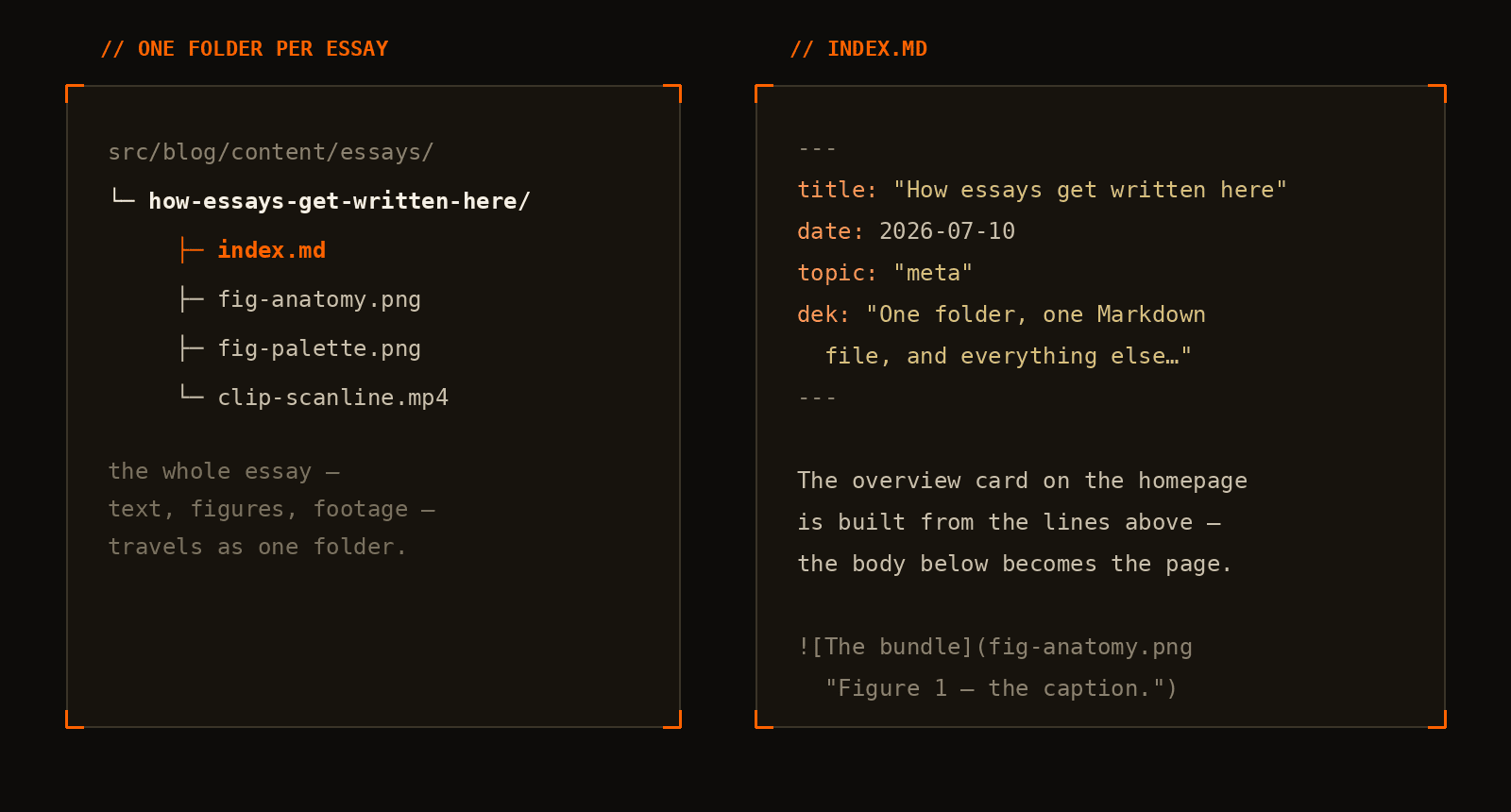
An essay is a folder under content/essays/ with an index.md in it. Anything the essay embeds — images, clips — lives in the same folder and travels with it:
src/blog/content/essays/
└─ how-essays-get-written-here/
   ├─ index.md            the essay
   ├─ fig-anatomy.png     a figure
   ├─ fig-palette.png     another figure
   └─ clip-scanline.mp4   a silent loop
The file starts with a small block of front matter, and that block is the entire contract with the homepage. The overview card, the essay list row, the date, the topic tag, the word count and the reading time are all derived from it — nothing about a new essay is registered anywhere else:
---
title: "How essays get written here"
date: 2026-07-10
topic: "meta"
dek: "One folder, one Markdown file, and everything else…"
---
Text is just Markdown
Everything below the front matter is plain Markdown. Bold for emphasis, inline code for identifiers, links for sources. Lists behave:
- a point worth making
- a second point, because one is not a list
- a third, for rhythm
Quotes get the accent treatment:
The machinery should disappear. If publishing an essay takes more than writing it, the essays stop getting written.
And a horizontal rule marks a hard break in thought:
Figures
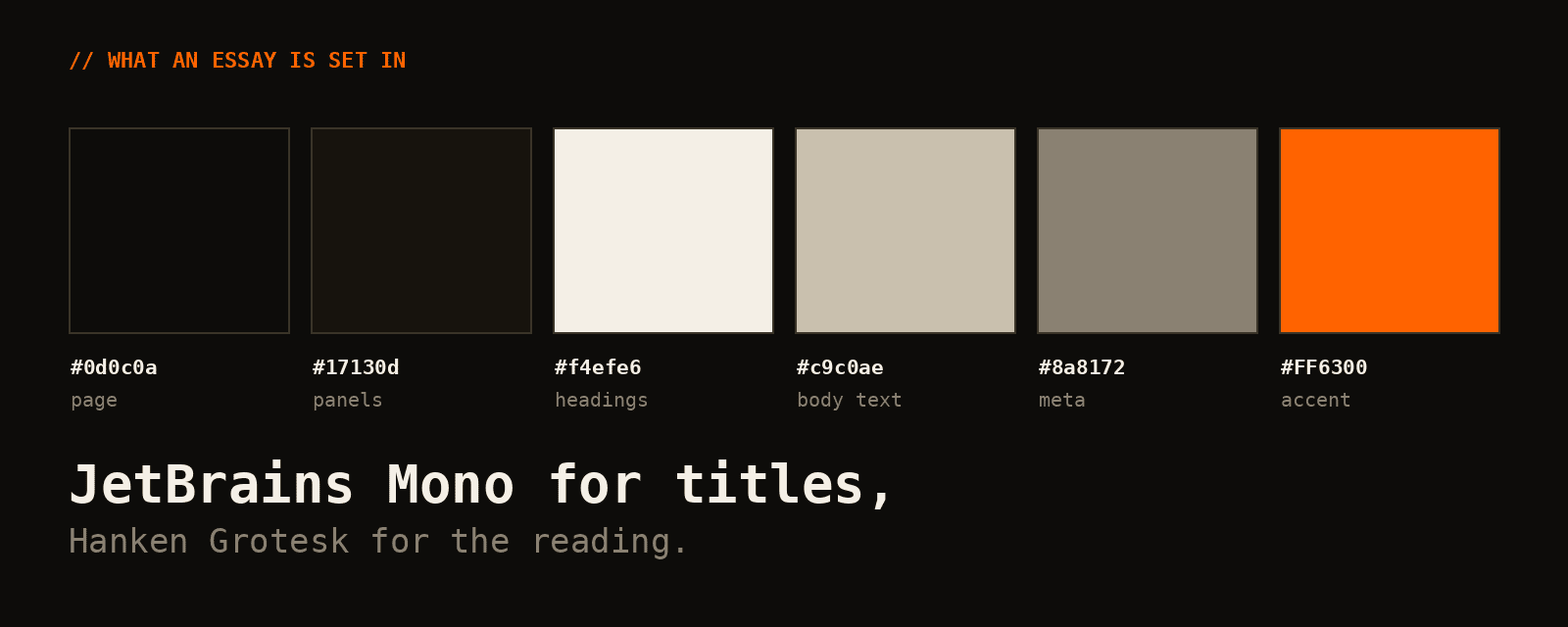
An image in Markdown becomes a captioned figure — the quoted title after the filename is the caption. The palette specimen below is itself a test image, generated for this entry:
Footage
Clips are silent, looping and muted — same visual treatment as figures, embedded with a one-line shortcode:
{{< video src="clip-scanline.mp4" caption="…" >}}
Code
Fenced blocks get syntax highlighting in the site palette, not a borrowed editor theme:
def reading_time(words: int, wpm: int = 220) -> int:
    """What the overview shows next to each essay."""
    return max(1, round(words / wpm))

print(reading_time(words=len(open("index.md").read().split())))
Publishing
There is no publish step distinct from the one this repo already has: commit the folder, push to master, CI rebuilds the image and deploys it. On the way out, every .mp4 is re-encoded and every .png is capped and compressed — including the ones inside essay folders — so nothing here needs to be exported "web-ready".
That's the whole process. The next entry in this list should be a real one.